At the moment the rpm is build from the openshift-enterprise-rpm-6.1 branch https://github.com/jboss-fuse/fuse-openshift-cartridge/tree/openshift-enterprise-rpm-6.1, and the finished product is placed in nexus.
If you want to build the rpm by hand use 'rpmdev-setuptree', copy the zip to ~/rpmbuild/SOURCE (this needs to be the cartridge zip containing the fuse.zip), copy the spec file to rpmbuild/SPEC and then build the rpm using 'rpmbuild -ba openshift-origin-cartridge-fuse.spec'.
Next copy the rpm to your OpenShift node and install it using rpm -U
ruby193-mcollective service on node and import cartridge on broker
#oo-admin-ctl-cartridge -c import-node --obsolete --activate
You can check fuse cartridge is listed by rhc cartridge-list. Note that I only found the oo-admin-ctl-cartridge command on OpenShift Enterprise and not on Origin.
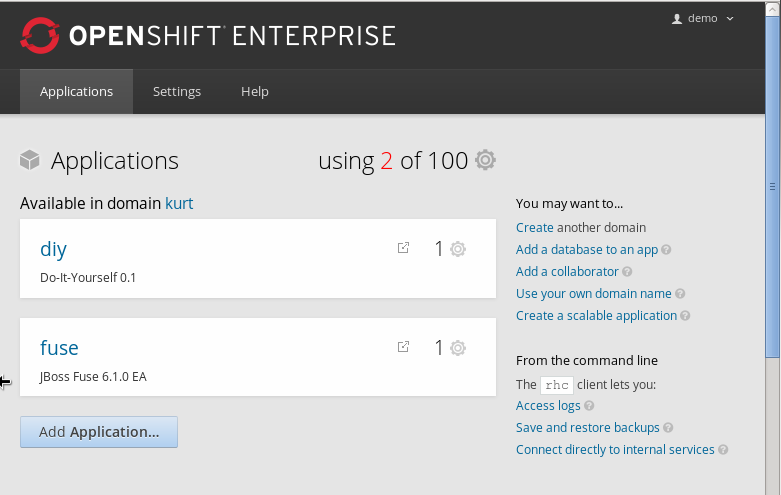
At this point the Fuse application should also be listed on the application page.

You can create a new gear from there or you can use rhc:
You can create a new gear from there or you can use rhc:
rhc app create fuse fuse -g medium
It should now have created a running Fuse gear. Please note that on my little laptop it took roughtly 15 minutes for it to show up and rhc and the console were sort of in a frozen state.